360-Degree Surveillance and Fisheye Cameras: How AI Algorithms Handle Distorted Images

Mateusz Zimoch
Published: 7/1/2026

TL;DR: Fisheye and spherical cameras provide an extremely wide field of view, but they distort image geometry through barrel distortion. As a result, automated face detection can be less reliable - especially near the edges of the frame, in crowds, and in low light. Automation still makes sense, but with this type of footage it should be supported by operator review. Gallio PRO automatically blurs faces and license plates in stored images and recordings, while any remaining elements can be corrected manually in the built-in editor - locally and without storing logs.

Visual data anonymization reduces the identifiability of people and vehicles in photos and videos - most often through face blurring and license plate blurring in publication workflows. With spherical and fisheye cameras, the process is more difficult because the algorithm is not analyzing a rectilinear image, but footage with strong geometric distortion. For IT teams, CCTV integrators, marketing, PR, and compliance departments, this is not just a technical detail: it directly affects detection quality, manual review time, and the risk of publishing material in which a face or license plate remains readable.

Why Is Fisheye Footage a Challenge for Detection Algorithms?

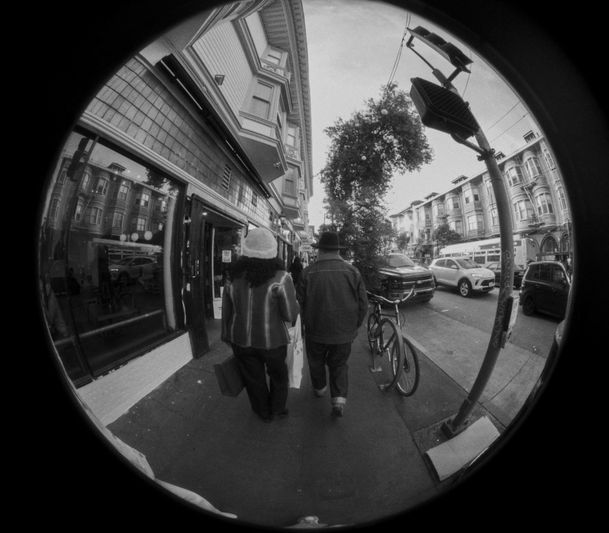
A fisheye camera captures a very wide field of view, often close to 180 degrees and, in some configurations - after appropriate mapping - even wider. This effect is achieved at the cost of nonlinear spatial projection: straight lines near the edges of the frame become visibly curved, and objects change proportions depending on their position relative to the center of the image.

The key phenomenon is barrel distortion: image magnification decreases with distance from the optical axis. As a result, a face near the edge of the frame may appear stretched, flattened, or curved. For a detection model, this is a significant issue because most models are trained primarily on images with a perspective similar to standard cameras, rather than on heavily deformed spherical projections.

This is where the difference between conventional CCTV footage and 360-degree surveillance becomes clear. In a standard image, a face has a predictable arrangement of the eyes, nose, and outline; in a fisheye image, these spatial relationships may be disrupted. The farther an object is from the center of the frame, the higher the risk that detection performance will drop.

Fish-eye view of a city street with two people walking on the sidewalk, buildings, parked cars, and a bicycle in the background.

How Does AI Detect Faces in Distorted Images?

Modern visual data anonymization systems usually work in stages. First, the model searches for local features suggesting the presence of a face or license plate. Then it classifies the detected region and defines the area to be blurred. With fisheye footage, this pipeline works correctly only when the input quality is sufficient and the object is not too small, too deformed, or partially occluded.

In practice, an algorithm may perform well in the center of the frame and less reliably around the edges. This is not necessarily an implementation error - it is a natural consequence of working with an image that does not match the training-data distribution typical of many computer vision models. That is why organizations publishing material from such sources usually take a conservative approach: automated detection speeds up the workflow, but the result should be reviewed before publication - especially for ceiling-mounted 360 cameras, panoramic cameras in vehicles, systems in large halls, or urban CCTV installations.

Face Blurring with Fisheye Footage: Where the Algorithm Performs Well and Where It Loses Accuracy

The best results usually occur when the face is relatively large, facing forward or in a slight profile, well lit, and located closer to the central part of the image. Accuracy decreases when the face is near the edge, occupies only a small number of pixels, is partially obscured, is captured in motion, or appears in a low-contrast scene - and these factors often accumulate.

With fisheye footage, four situations are particularly problematic: (1) faces at the very edge of the frame; (2) faces viewed from a high angle, for example from a ceiling-mounted camera; (3) densely crowded scenes where detection areas overlap; and (4) compressed footage in which fine facial features have been lost.

For this reason, Gallio PRO should be treated as on-premises software for visual data anonymization in photos and recordings - but not as a tool that solves every case unconditionally without operator review. Gallio PRO’s automated detection covers only faces and license plates. The software does not automatically detect logos, tattoos, name badges, documents, or content displayed on monitor screens. These elements can be blurred manually in the built-in editor.

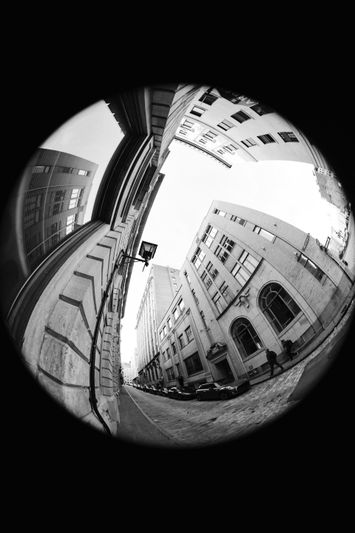
Fisheye lens view of an urban street, showing tall buildings and a cobblestone path, creating a curved and distorted perspective. Black and white.

  1. Import the material into Gallio PRO. Upload a saved photo or recording from a fisheye or 360 camera. Gallio PRO works on files, not on live streams or real-time video.
  2. Optionally consider dewarping before detection. Geometry correction may improve face detection near the edges, but it adds a processing step and can introduce artifacts. Base the decision on tests using your own footage, as described in the section below.
  3. Run automatic face and license plate detection. Gallio PRO automatically blurs faces and license plates - these are the only two elements detected automatically.
  4. Review high-risk areas. Check the edges of the frame, high-density areas with many people, and poorly lit zones in particular - these are where detection is least certain.
  5. Apply manual corrections in the built-in Gallio PRO editor wherever the algorithm missed a face or license plate and the object is still identifiable, as well as to elements that are not detected automatically, such as documents, screens, badges, tattoos, and logos.
  6. Export the material only after final review. Gallio PRO does not store detection logs or personal data.

If you want to verify this workflow on recordings from your own fisheye or 360-degree cameras, you can download the free demo and compare the results on real footage.

When Is Manual Correction Needed?

With distorted images, manual verification is not an add-on but a standard part of safe publication - especially when working with material from a single fisheye lens without prior dewarping, night footage, or shots captured from a long distance. Two limitations are worth highlighting for technical decision-makers: Gallio PRO does not blur entire body silhouettes, only faces and license plates, and it is not a real-time anonymization tool or a video-stream anonymization solution. It is designed for working with photos and saved files before publication.

Dewarping or Detection Directly on the Fisheye Image?

There are two approaches. The first is to analyze the image in its original fisheye projection. This is simpler from a process perspective and does not generate additional versions of the material, but accuracy may be lower in the extreme areas of the frame. The second approach is dewarping first. This improves local geometry and makes face detection easier, but it adds a processing stage and may introduce local interpolation artifacts. The choice depends on the camera type, resolution, scene density, and organizational requirements. If footage from a specific installation regularly creates difficulties, it is worth reaching out to the team to discuss an on-premises scenario and testing on real samples.

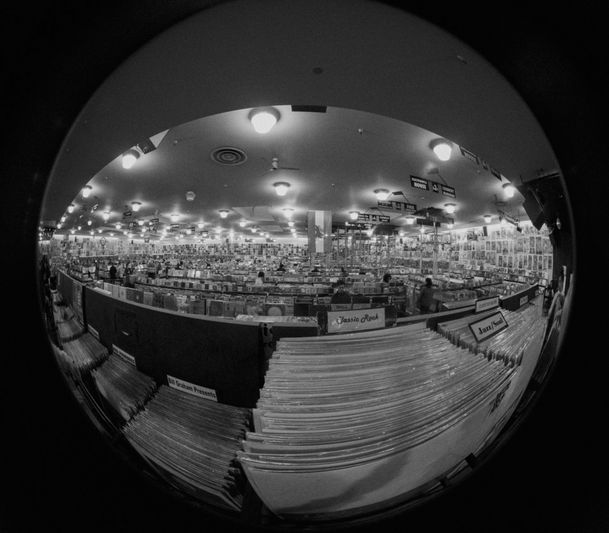
Fisheye view of an extensive record store, filled with rows of albums and bright ceiling lights, creating a wide, circular distortion.

What Affects Anonymization Quality in 360-Degree Surveillance?

Factor

Impact on Face Detection

Practical Significance


Face position in the frame

The closer the face is to the edge, the higher the risk of distortion and reduced accuracy

Careful review of image edges is required

Resolution and compression

A low number of pixels per face makes classification harder

Exported footage should not be over-compressed before anonymization

Lighting

Low contrast reduces the quality of features detected by the model

Night scenes and backlit scenes require manual verification

Viewing angle

Top-down views or strong profiles make detection more difficult

Ceiling-mounted 360 cameras generate more edge cases

Scene density

Occluded faces increase the number of missed detections

Crowds, events, and public transport footage require caution

Compliance Considerations When Publishing Photos and Recordings

In publication scenarios, a face visible in a photo or recording very often constitutes personal data because it enables - or makes it likely to enable - the identification of a natural person [1][2]. In compliance practice, organizations often assume that before publication they should assess whether an image of a person should be anonymized, unless there is a clear legal basis for disclosing it.

The obligation to anonymize faces may arise from the GDPR, civil law, and copyright law, depending on the purpose of processing and the method of publication. Copyright law, however, provides exceptions to the requirement to obtain consent for distributing a person’s image, particularly when:

  • the person is publicly known and the image was captured in connection with their public, social, or professional functions,
  • the person’s image is only a detail of a larger whole, such as a gathering, landscape, or public event,
  • the person received agreed payment for posing and did not reserve otherwise.

For license plates, European practice is not uniform, and the assessment depends on the context and the possibility of linking the number to a specific person. It is not defensible to claim that license plate blurring is mandatory in all Western European countries under a single set of EU rules. In Poland, the situation is also not fully clear-cut: in some cases, a registration number alone is considered not always to constitute personal data, but in certain circumstances it may enable indirect identification. For this reason, many organizations choose a precautionary approach and apply license plate blurring even when the legal assessment depends on the specific case.

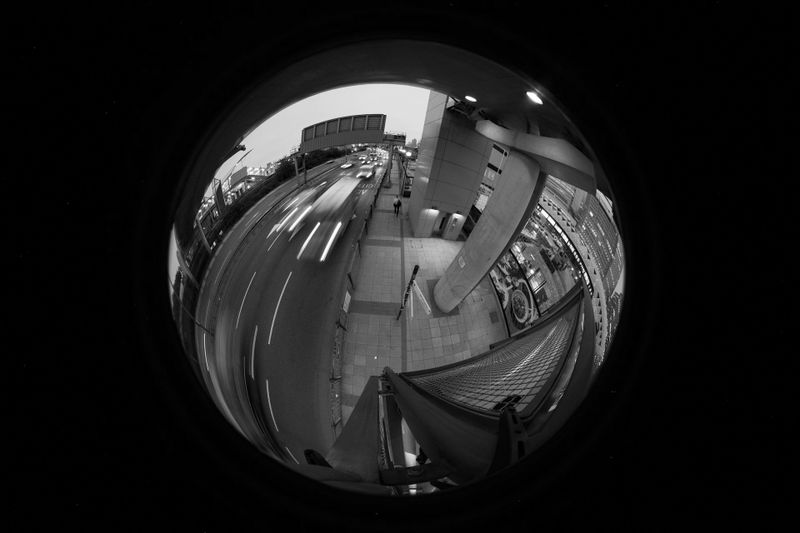
Fisheye lens view of an urban street with light trails from passing cars and pedestrians walking on the sidewalk at dusk.

Operational Security When Anonymizing Visual Material

For many organizations, detection accuracy is just as important as whether the tool itself creates an additional data-related issue. Gallio PRO does not collect logs containing face and license plate detections or logs containing personal data and special categories of personal data. This is important in environments that want to limit operational traces connected with the processing of visual materials. It is consistent with the needs of public-sector bodies, CCTV integrators, and companies operating in an on-premises model, where reducing data transfers and minimizing metadata are part of the security standard.

How to Assess Whether Automated Detection Is Sufficient for Fisheye Footage

Instead of relying on a general claim about accuracy, test your own material. Prepare a sample that includes different face positions within the frame, both central and peripheral; various lighting conditions; dense and sparse scenes; and, if you are considering it, versions with and without dewarping. Compare the number of correctly detected faces with the number of missed detections. If many misses occur near the edges, the safe conclusion is not to abandon automation, but to introduce mandatory manual verification for material from that specific installation.

Key Takeaways for Technical and Compliance Teams

Fisheye cameras increase scene coverage, but they make face detection harder because of barrel distortion and variable object scale within the frame. Automated anonymization still makes sense because it significantly reduces the workload when processing large volumes of footage - but in 360-degree surveillance, it should not be treated as a fully unattended process. The greater the distortion, the more important manual review becomes before publication.

The safest approach is straightforward: automatically detect and blur only faces and license plates, then perform manual verification wherever image geometry, lighting, or scene density may reduce model accuracy. This limits the risk of errors without creating a false sense of complete automation.

White question mark painted on dark tiled pavement.

FAQ: 360-Degree Surveillance and Fisheye Cameras

Does a fisheye camera always reduce face detection accuracy?

Not always. The biggest problems occur near the edges of the frame, with small faces, poor lighting, and heavy compression. Accuracy is often noticeably better in the center of the image. The exact result depends on the specific footage.

Is it worth correcting fisheye footage before anonymization?

Sometimes, yes. Dewarping can improve face geometry and make detection easier, but it adds another processing step and may introduce artifacts. The decision is best based on tests using your own recordings.

What does Gallio PRO detect automatically?

Automatic detection covers only faces and license plates. Gallio PRO does not automatically detect logos, tattoos, name badges, documents, or content displayed on monitor screens. These elements can be blurred manually in the built-in editor.

Does Gallio PRO blur entire body silhouettes?

No. Gallio PRO does not blur entire silhouettes. Automatic blurring applies to faces and license plates.

Does Gallio PRO work in real time on a video stream?

No. Gallio PRO does not perform real-time anonymization or video-stream anonymization. It is designed for working with materials before publication.

Is manual review necessary with fisheye footage?

In practice, very often yes - especially when faces are close to the edges of the frame, small, partially obscured, or captured in difficult lighting conditions.

Does the tool store logs with detection data?

No. Gallio PRO does not collect logs containing face and license plate detections or logs containing personal data and special categories of personal data.

Prepared by the Gallio PRO team - specialists in data protection and video engineering who create anonymization software used in security, the public sector, and media. This material is for informational purposes only and does not constitute legal advice.

Do you have recordings from fisheye or 360-degree cameras? Check detection quality on your own material before publication.

References list

  1. Regulation (EU) 2016/679 of the European Parliament and of the Council of 27 April 2016, known as the General Data Protection Regulation (GDPR).
  2. European Data Protection Board, Guidelines 3/2019 on processing of personal data through video devices.
  3. Polish Personal Data Protection Office materials and explanations concerning images as personal data and the rules for publishing photographs.
  4. Act of 23 April 1964, the Polish Civil Code.
  5. Act of 4 February 1994 on Copyright and Related Rights.