PTZ Camera Video Anonymization: Object Tracking and Blur Continuity in Dynamic Footage

Mateusz Zimoch
Published: 7/4/2026

TL;DR: With PTZ cameras (pan, tilt, zoom), detecting a face in a single frame is not enough. What matters is anonymization continuity between frames, which means reliable tracking. If a mask loses an object for even a fraction of a second, a recognizable face or license plate may appear in the published material. That is why dynamic footage typically requires a two-step review: automation plus an operator check. Gallio PRO automatically blurs faces and license plates, tracks them across frames, and lets you correct the rest manually in the built-in editor - locally and without storing logs.

PTZ camera video anonymization is one of the more challenging use cases when publishing photo and video material. An object may appear in the frame, partially disappear behind an obstacle, and then return after a zoom at a different scale and angle. For marketing teams, PR departments, public administration, integrators, and PTZ operators, the issue is very practical: detecting a face in a single frame is not enough. You need continuous face blurring and license plate blurring despite camera movement. It is also important to be clear that tracking is not infallible, and in some scenes manual verification before publication remains necessary.

Why Are PTZ Cameras Harder Than Static Shots?

In footage from a fixed camera, a person’s position in the frame changes in a relatively predictable way. With a PTZ camera, the entire frame of reference changes: the camera pans horizontally, tilts vertically, zooms in and out, and sometimes does so abruptly. For the algorithm, this creates three parallel challenges: (1) the face or license plate changes size; (2) perspective and sharpness change; and (3) temporary visibility loss occurs because of crowds, poles, vehicles, reflections, shadows, or overexposure.

If the system relies solely on frame-by-frame detection, the mask may start to “flicker.” In published material, this means there is a risk that an identifying element will be visible during part of the shot. This is important from a compliance perspective because a person’s image and footage that enables identification may be treated as personal data. The European Data Protection Board states that processing images from video devices falls under data protection rules when a person can be identified [1].

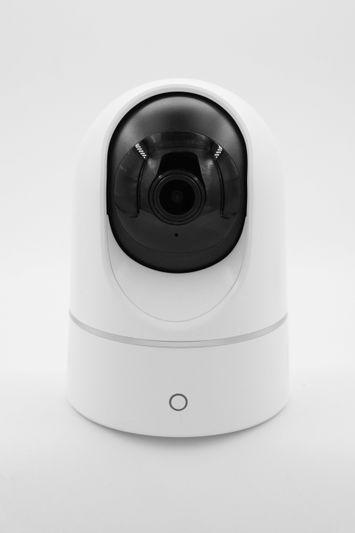
White security camera with a black lens, mounted on a sleek, modern base, standing against a plain white background.

How Does Object Tracking Work in PTZ Video Anonymization?

Object tracking is not about finding a face once. Its goal is to maintain the identity of a detected object over time. The algorithm usually uses a combination of position, size, motion, and visual similarity. In simple terms: if a face is detected in frame 100, the system tries to predict where it will be in frames 101, 102, and the following frames - even when detection confidence is temporarily reduced.

This approach is especially valuable during panning and zooming. When the camera zooms in, the object grows in the frame and may become partially cropped; when the camera rotates quickly, motion blur appears. Well-designed tracking reduces the risk of the mask disappearing for a few frames. The practical conclusion is that effective visual data anonymization requires detection and tracking to work together. A blur applied to a single frame does not produce a stable result in dynamic footage.

What Does Gallio PRO Do Automatically - and What Does It Not Do?

Gallio PRO automatically blurs only faces and license plates and tracks them across frames. It does not blur full body silhouettes, and it does not perform real-time anonymization or video stream anonymization. It is software for preparing material before publication, not a live streaming tool.

Equally important is what the system does not detect automatically: company logos, tattoos, name badges, documents, or content displayed on monitor screens. These elements must be blurred manually in the built-in editor, which matters in complex environments such as receptions, production halls, stadiums, and office spaces. In PTZ footage, this distinction is particularly important: the camera may first track a face and then zoom in on a desk, monitor, or ID badge. Automatic face detection does not solve the entire publishing risk in that situation. Operator review and, where needed, manual correction are required.

A black and white image of a dome-shaped security camera mounted on a metal arm, surrounded by blurred foliage.

When Does Tracking Keep the Blur Stable - and When Can It Fail?

Tracking delivers the best results when the face or license plate remains relatively visible, contrast is sufficient, and camera movement is not abrupt. Stable lighting and an uncrowded scene also help. The risk of error increases in five recurring situations: (1) fast optical zoom with refocusing, where the image is soft for several frames and the detector loses confidence; (2) partial occlusion, when a person passes behind a pole, another person, or a door; (3) a small object, such as a face far in the background or a license plate at the edge of the frame; (4) night footage, light reflections, rain, smoke, or compression artifacts; and (5) similar objects close to each other, such as multiple faces in a crowd, where the system may assign the tracking path to the wrong person.

The compliance practice is straightforward: the more dynamic the footage, the less reasonable it is to rely solely on automation. Organizations often adopt a two-step process:

  • automatic face blurring and license plate blurring,
  • manual verification of the full export before publication.

This approach is especially justified for promotional, informational, and official materials that will be published online.

  1. Define the purpose of publication. Decide whether the material should be published in an identifiable form or whether broader anonymization is safer.
  2. Import the recording into Gallio PRO. The software works on saved files, not on a live stream and not in real time.
  3. Run automatic detection with tracking. Gallio PRO automatically blurs faces and license plates and tracks them between frames - these are the only two elements detected automatically.
  4. Review high-risk sequences. Check pans, zooms, entries and exits from the frame, transitions behind obstacles, and night scenes. These are the moments where mask continuity is least certain.
  5. Apply manual corrections in the built-in Gallio PRO editor wherever tracking has not maintained continuity and for elements that are not detected automatically, such as logos, documents, screens, badges, and tattoos.
  6. Export the material only after confirming blur continuity throughout the entire recording. Gallio PRO does not collect logs containing personal data or sensitive data.

If you want to test this PTZ camera anonymization workflow on your own footage, you can download the free demo and review the process before publication.

See how Gallio PRO anonymizes video recordings.

Black and white image of a security camera mounted on a brick wall, viewed from below, with focus on the camera's round lens.

Manual Verification Is Not a System Failure - It Is Part of the Process

A common misconception about video anonymization is that a “good” system should work without any human oversight. With PTZ cameras, that assumption is risky because a dynamic scene naturally increases the number of edge cases. Manual verification is therefore not a sign of a weak process, but of a mature one: automation does the heavy work across the full volume of footage, while a human reviewer checks the moments where geometry, motion, or occlusion may have reduced accuracy.

This material discusses publication practices and does not constitute legal advice. In Europe, the common reference point remains the GDPR, which covers personal data recorded in an image if the person can be identified [2]. In Poland, the publication of a person’s image is also affected by the Civil Code and the Act on Copyright and Related Rights.

For faces, there is no general “anonymization obligation” that automatically follows from the law itself. The assessment depends on the purpose and legal basis of processing, the method of publication, and whether dissemination of the image is permitted. When disseminating a person’s image, Article 81 of the Polish Act on Copyright and Related Rights is particularly relevant. As a rule, consent from the depicted person is required unless one of the typical exceptions applies:

  • the person is widely known, and the image was captured in connection with the performance of public functions, especially political, social, or professional functions,
  • the person’s image is only a detail of a broader whole, such as a gathering, landscape, or public event,
  • the person received agreed payment for posing and did not clearly reserve the right to refuse dissemination of the image.

For license plates, the situation is more complex. It cannot be assumed as a general rule that blurring them is always mandatory in Western Europe. The assessment depends on whether, in a specific context, the plate allows a natural person to be identified directly or indirectly. In Poland, the issue is also not fully clear-cut and requires an assessment of the circumstances of a specific publication. In practice, many organizations take a precautionary approach and apply license plate blurring before making material public.

A surveillance camera mounted on a brick wall, featuring a dome-shaped cover and an adjustable arm, captured in black and white.

Table: Practical Anonymization Risks in PTZ Footage

Situation in the Recording

Typical Risk

Effect on Anonymization

Recommended Practice


Fast camera pan

Motion blur and loss of detection

Blur briefly disappears

Review key sequences frame by frame

Sudden zoom in or zoom out

Change in object scale and focus

Inaccurate mask or tracking delay

Verify the beginning and end of the zoom

Crowd or partial face occlusion

Incorrect object assignment

The mask shifts to another person or disappears

Apply manual correction in the editor

Night, rain, light reflections

Low contrast and compression artifacts

Material-dependent drop in detection accuracy

Test on a sample and fully review the export

Objects other than faces and license plates

No automatic detection

Logo, document, or screen remains visible

Manual redaction in the editor

On-Premises Software and Control Over Footage

For some organizations - especially in the public sector, integrators, and entities processing sensitive recordings - the key question is not only whether the blur works, but also where the processing takes place. This is where on-premises software, often referred to as on-premise software, becomes important: deployment within an environment controlled by the organization. This can matter for security policies, contractual restrictions, and internal approval procedures for publication.

The data footprint is also worth noting: Gallio PRO does not collect logs containing personal data or sensitive data. For compliance teams, this is a practical benefit because it reduces additional risks associated with metadata generated during the anonymization process. If your scenario involves enterprise deployment, on-premises requirements, or a specific compliance case, it is worth reaching out to the team to discuss the technical conditions before choosing a workflow.

Abstract pattern with 3D question mark shapes in grayscale, arranged in a repeating diagonal grid on a white background.

FAQ - PTZ and Pan-Tilt Cameras

Does a PTZ camera increase the risk of anonymization errors?

Yes. Panning, angle changes, and zooming change the scale and perspective of the object. This makes it harder to maintain continuous blur between frames and increases the need for manual review.

Does object tracking guarantee that a face will always remain blurred?

No. Tracking improves anonymization continuity, but it can fail with occlusions, poor lighting, fast movement, similar objects close to each other, or sudden zoom changes. Such scenes require manual verification.

Does Gallio PRO anonymize full body silhouettes?

No. Gallio PRO automatically blurs only faces and license plates.

Does Gallio PRO automatically detect logos, tattoos, and documents in the frame?

No. Automatic detection covers only faces and license plates. Logos, tattoos, name badges, documents, and content displayed on monitor screens require manual work in the editor.

Does Gallio PRO work in real time on a video stream?

No. Gallio PRO does not perform real-time anonymization or video stream anonymization. It is designed to prepare material before publication.

Do license plates always have to be blurred before publication?

Not always. It depends on the jurisdiction, the publication context, and whether the plate makes it possible to identify a natural person in that specific case. In practice, many organizations take a precautionary approach and blur license plates before publication.

Does the absence of detection logs matter for compliance?

It may matter from an organizational and security perspective. If a tool does not store logs containing personal data, it reduces the additional information footprint created during anonymization.

This article was prepared by the Gallio PRO team - specialists in data protection and video engineering, developing anonymization software used in security, the public sector, and media. The material is for informational purposes only and does not constitute legal advice.

Working with dynamic PTZ camera footage? Check blur continuity on your own material - download the free Gallio PRO demo →

References list

  1. European Data Protection Board, Guidelines 3/2019 on processing of personal data through video devices.
  2. Regulation (EU) 2016/679 of the European Parliament and of the Council of 27 April 2016 (GDPR).
  3. Act of 23 April 1964 - Polish Civil Code.
  4. Act of 4 February 1994 on Copyright and Related Rights.
  5. Information Commissioner’s Office, Guide to the UK GDPR.
  6. Information Commissioner’s Office, Video Surveillance Guidance.