Video Anonymization in VMS Systems (Milestone, Genetec, Avigilon): Integration Workflow

Mateusz Zimoch
Published: 7/14/2026

TL;DR: Video anonymization in a VMS ecosystem does not require rebuilding your video surveillance environment. The most practical B2B model is a workflow: export a clip from the VMS → process it in an external tool → publish or archive the result. In this setup, Gallio PRO works as on-premise video anonymization software: it automatically blurs faces and license plates, while any remaining elements can be adjusted manually in the built-in editor - with no native integration, no live processing, and no detection logs being stored.

Visual data anonymization reduces the identifiability of people and vehicles in photos and video before publication or before material is shared outside the operational environment - most often through face blurring and license plate blurring. In a VMS ecosystem, the goal is not only compliance, but also a structured, repeatable workflow that allows teams to export footage from a surveillance system, anonymize it in a controlled environment, and safely route it for publication or archiving. For integrators and compliance teams, the key point is that anonymization does not have to mean redesigning the entire monitoring setup.

What Is Visual Data Anonymization in a VMS Environment?

In systems such as Milestone, Genetec, or Avigilon, source footage usually remains in the VMS repository as an operational record. Anonymization therefore does not change the role of the surveillance system itself - it adds a separate processing layer for working copies and materials intended for further use.

In this model, Gallio PRO operates as on-premise software for visual data anonymization, not as a native feature of a specific VMS. This distinction matters from both a technical and procurement perspective: organizations should not be promised an integration that the product does not provide. The realistic and safe scenario is to export a clip or frame sequence from the VMS, process the file in Gallio PRO, and save the output as anonymized material for publication, a secondary archive, or re-entry into the organization’s workflow according to internal policy.

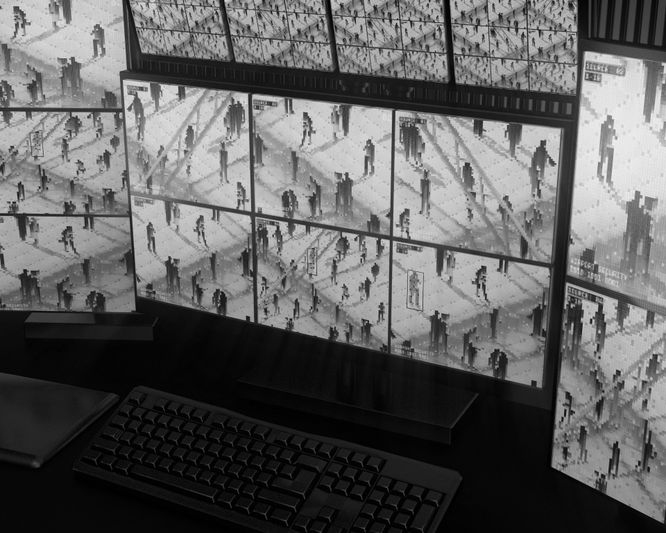
Multiple surveillance screens display black and white footage of people walking, viewed from a desk with a keyboard and mouse.

Why Is the Export – Anonymize – Reimport Workflow Practical?

A VMS is responsible for acquisition, retention, search, and recording management. A video anonymization tool is responsible for processing a copy of the material for a specific use case. This separation of roles simplifies the architecture and reduces the risk of operational footage being modified in the source system.

This model has four advantages: (1) it separates source material from publication-ready material; (2) it allows permissions to be granted only to people responsible for communications, PR, marketing, or request handling; (3) it supports version control; and (4) it is easier to deploy in existing environments than custom VMS modifications.

Typical Integration Workflow with Milestone, Genetec, and Avigilon Step by Step

Platform interfaces differ, but the process logic is similar. Organizations most often implement the following operating model:

  1. Export from the VMS. The operator searches for an event and exports the required recording segment or image series to a working file. It is worth limiting the time range and number of cameras to the minimum necessary for the publication purpose.
  2. Move the material to the processing zone. The exported footage is transferred to a dedicated workstation or on-premise server with access control and a retention policy.
  3. Automatic detection in Gallio PRO. The material is opened in Gallio PRO, which automatically blurs only faces and license plates. Gallio PRO does not automatically detect logos, tattoos, name tags, documents, or content displayed on monitor screens.
  4. Adjustments in the manual editor. If the material contains non-standard elements, the operator uses the built-in Gallio PRO editor to cover areas that are not detected automatically - without implying that the system recognizes every type of visual data.
  5. Save the output file. A new file is created for publication, sharing, or secondary workflow use. Depending on the organization’s policy, the material is stored in an archive outside the VMS or reimported as a separate anonymized version.

This model should be described in deployment documentation. It does not assume real-time anonymization or video stream anonymization - Gallio PRO does not perform real-time anonymization or video stream anonymization. For technical decision-makers, this means planning a batch or semi-manual process rather than live processing. To evaluate the workflow on your own exported footage, you can download the free demo.

A person monitors security cameras on three computer screens, showing various angles of an empty hallway. A telephone and keyboard are on the desk.

Which Visual Data Is Covered by Anonymization - and Which Is Not?

When publishing material, the two most common objects of concern are a person’s face and a vehicle license plate - which is why face blurring and license plate blurring form the basis of most workflows. However, functional boundaries must be described precisely.

Object in the Material

Automatic Handling

Manual Handling

Operational Relevance


Faces

Yes

Yes

Core use case for publishing photos and video

License plates

Yes

Yes

Key for footage from roads, parking areas, and logistics sites

Company logos

No

Yes

Important in recordings from commercial facilities

Tattoos

No

Yes

Can be covered after operator review

Name tags, documents, content on monitors

No

Yes

Require manual review before publication

Entire body silhouettes

No

Depending on area editing

The product should not be described as a tool for automatic full-body masking

This table makes it easier to assign responsibilities in implementation projects: IT is responsible for the environment and permissions, the operator is responsible for anonymization quality, and the publication team is responsible for final material review.

Compliance Considerations When Publishing Photos and Recordings

The image of a person visible in a recording may constitute personal data under the GDPR, while the publication of a person’s likeness may also be subject to civil law and copyright rules [1][2][3]. In compliance practice, organizations often assume that if a person can be identified, the material requires either an assessment of the legal basis or anonymization before publication.

The obligation to anonymize faces does not automatically arise from a single provision. It is most often assessed under the GDPR, the Civil Code, and the Act on Copyright and Related Rights. With regard to the dissemination of a person’s likeness, Article 81 of the Polish Copyright Act provides for exceptions, including where:

  • the person is publicly known and was photographed or recorded in connection with the performance of public functions,
  • the person’s likeness is merely a detail of a larger whole, such as a gathering, landscape, or public event,
  • the person received agreed payment for posing and did not make any reservation to the contrary.

Each of these cases still requires an assessment of the context of use - the mere existence of an exception does not determine whether every publication is permissible. For license plates, the situation is more complex: there is no Europe-wide rule that always requires them to be blurred before publication, and the assessment depends on context, the possibility of identifying an individual, and national law. In Poland, the matter is also not fully clear-cut and requires case-by-case analysis, which is why compliance teams often adopt a more cautious publication standard - especially for materials shared publicly.

Two people, a child and an adult, sit watching a screen displaying multiple security camera feeds in a room with a brick wall.

Security Benefits of an On-Premise Architecture in the Anonymization Process

For large organizations, what the system detects is not the only important factor - the traces it leaves behind also matter. One advantage of a B2B architecture is limiting the secondary circulation of data. Gallio PRO does not store logs containing face and license plate detection data, nor logs containing personal data or sensitive data. This reduces the number of places where derivative information about people or vehicles could appear.

In enterprise deployments, this feature should be combined with standard security controls: network segmentation, role-based access permissions, storage encryption, and a retention policy for working files. If you are planning a larger on-premise environment or an integration scenario with your own case-handling workflow, it is best to reach out to the team before designing the target architecture.

Operating Procedure for PR, Marketing, and Administration Teams

In practice, a short procedure with clearly assigned roles works best:

  1. The material owner defines the publication purpose.
  2. The operator exports only the required segment from the VMS.
  3. The material is anonymized in Gallio PRO.
  4. Quality control is performed, including manual review of elements that are not detected automatically.
  5. Only the output file is published, not the source material.
  6. The organization records the decision: who approved the use of the material and where the final version was sent.

This procedure is especially valuable in the public sector and in large companies, where a single recording may simultaneously support security, communications, and internal investigations. A good practice is to separate the storage location of operational materials from the storage location of materials intended for publication.

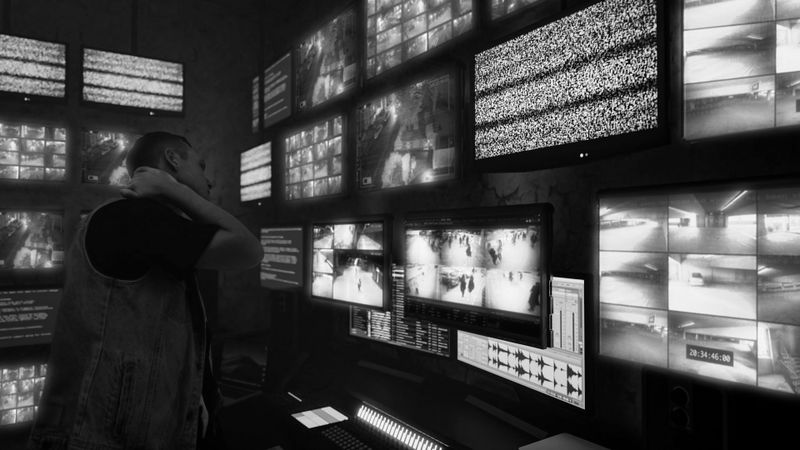
Person looking at multiple surveillance monitors in a dark control room, with static on one screen, creating an intense atmosphere.

What Should You Check When Testing with Milestone, Genetec, and Avigilon?

Before deployment, it is worth checking three things: (1) which export formats the given VMS generates and whether they preserve the image quality required for effective face blurring and license plate blurring; (2) what the chain of responsibility looks like once the recording leaves the source system; and (3) how much manual work is required in typical organizational scenarios, such as footage from reception areas, parking lots, or production halls.

If the goal is a practical assessment, the most sensible approach is to run a pilot on real exports from several cameras and under different lighting conditions. This type of test helps compare results across material from different locations.

Key Takeaways for Technical and Compliance Decision-Makers

In a VMS ecosystem, video anonymization does not have to be a native feature of the surveillance system to be operationally effective. For many organizations, a structured workflow is more practical: export from the VMS → anonymization in an on-premise tool → reimport or publication archive. This model supports access control, limits modifications to source material, and helps build repeatable procedures for communications, administration, and security teams.

The most important point is to describe the functional scope precisely. Gallio PRO automatically blurs only faces and license plates - it should not be described as providing stream anonymization, detection of all categories of visual data, or automatic masking of entire body silhouettes. In a B2B environment, this precision builds trust and makes it easier to fit the solution correctly into the VMS architecture.

A digital representation of a 3D question mark symbol on a circuit-like, abstract background in grayscale.

FAQ: Video Anonymization in VMS Systems (Milestone, Genetec, Avigilon)

Does Gallio PRO integrate natively with Milestone, Genetec, or Avigilon?

In the model described here, native integration should not be assumed. The realistic workflow is to export material from the VMS, process it in Gallio PRO, and save the result for publication, archiving, or secondary workflow use.

Does Gallio PRO anonymize live video?

No. Gallio PRO does not perform real-time anonymization or video stream anonymization. It is designed for processing previously exported material.

Which objects are detected automatically?

Automatic detection covers only faces and license plates. Other elements - documents, monitor screens, tattoos, name tags - require manual work in the editor.

Does Gallio PRO blur entire body silhouettes?

No. Gallio PRO is not intended for automatic masking of entire body silhouettes.

Do license plates always have to be blurred?

Not always. The assessment depends on the jurisdiction, the publication context, and whether the plate can identify a natural person in a given case. Organizations often choose a more cautious publication approach.

Does the tool store logs with detection data?

No. Gallio PRO does not store logs containing face and license plate detection data, nor logs containing personal data or sensitive data. This is an important security advantage in a B2B architecture.

When is it worth consulting a deployment?

Above all, when an organization is planning a larger on-premise environment, its own material approval workflow, archive integration, or specific compliance requirements.

This text was prepared by the Gallio PRO team - specialists in data protection and video engineering who build anonymization software used in security, the public sector, and media. This material is for informational purposes only and does not constitute legal advice.

Planning to anonymize your VMS recordings? Test the workflow on your own exports - download a free Gallio PRO demo →

References list

  1. Regulation (EU) 2016/679 of the European Parliament and of the Council of 27 April 2016 (GDPR).
  2. Act of 23 April 1964 - Civil Code.
  3. Act of 4 February 1994 on Copyright and Related Rights.
  4. European Data Protection Board, Guidelines 3/2019 on processing of personal data through video devices.
  5. Court of Justice of the European Union, judgment in Case C-212/13, František Ryneš v ÚOOÚ.